DLAY
Design any delay. Fast.
One canvas. 64 taps. Drag to design, sweep to morph, flip the feedback path through seven character modes. Then drag an LFO onto a knob and let it move. Whether you need a quarter-note slap or a granular wash, DLAY keeps up.
Lifetime free updates·14-Day Money-Back Guarantee
Join 100+ producers using DLAY
As Featured In




Try DLAY Live
Pick a source, audition a preset, twist the dry/wet.
Built For
Vocal Producers
Slapback, plate throws, doublers, dub vocals, ping-pong, vocal halo, detuned choir, vowel slap
Beatmakers
Snare throws, dub sirens, hat shuffle, trap throws, helicopter toms, tresillo, clave
Sound Designers
Self-oscillation, broken tape, glitch stutter, sci-fi warps, granular drift, reverse echoes
Ambient & Post-Rock
Post-rock wash, shimmer bloom, cathedral, glacier, underwater, ether, frozen field
Inside DLAY
As simple or as deep as you want it. Start with one echo.
See it
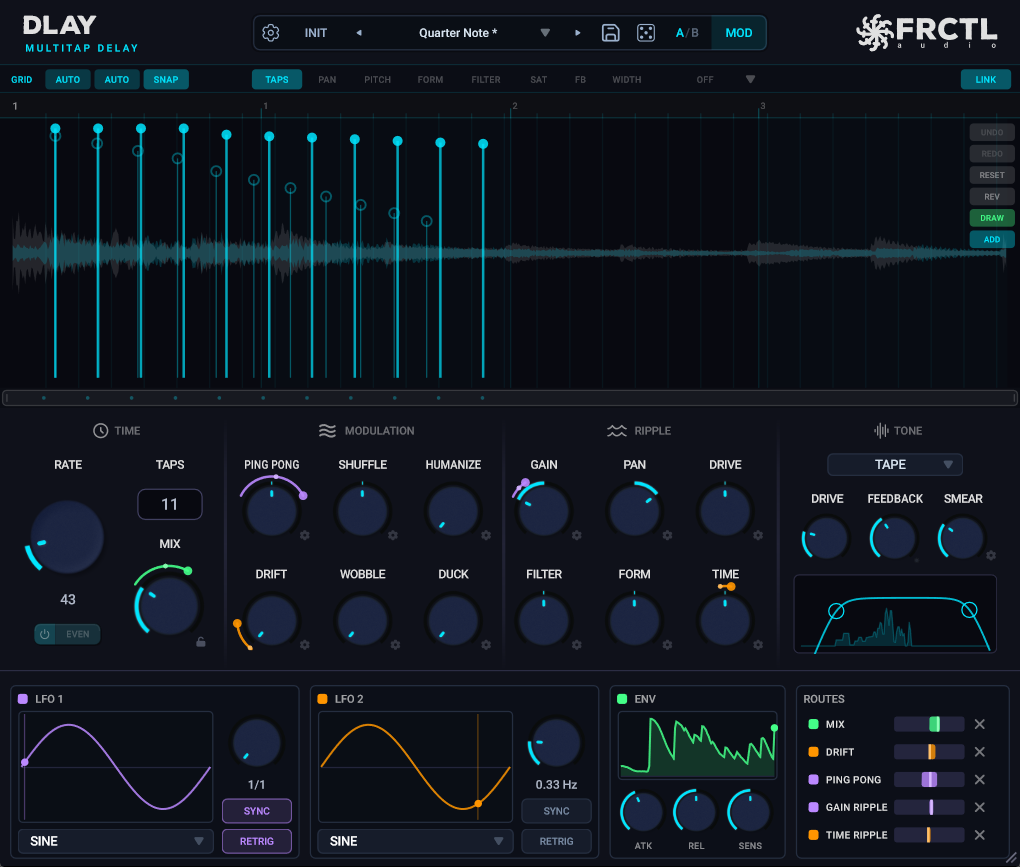
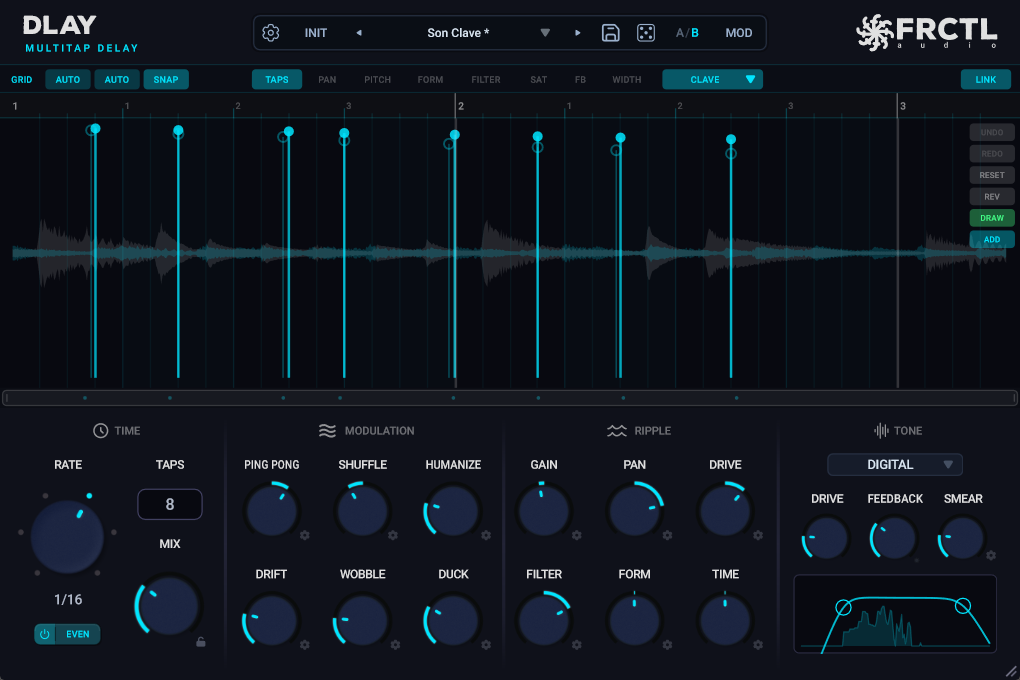
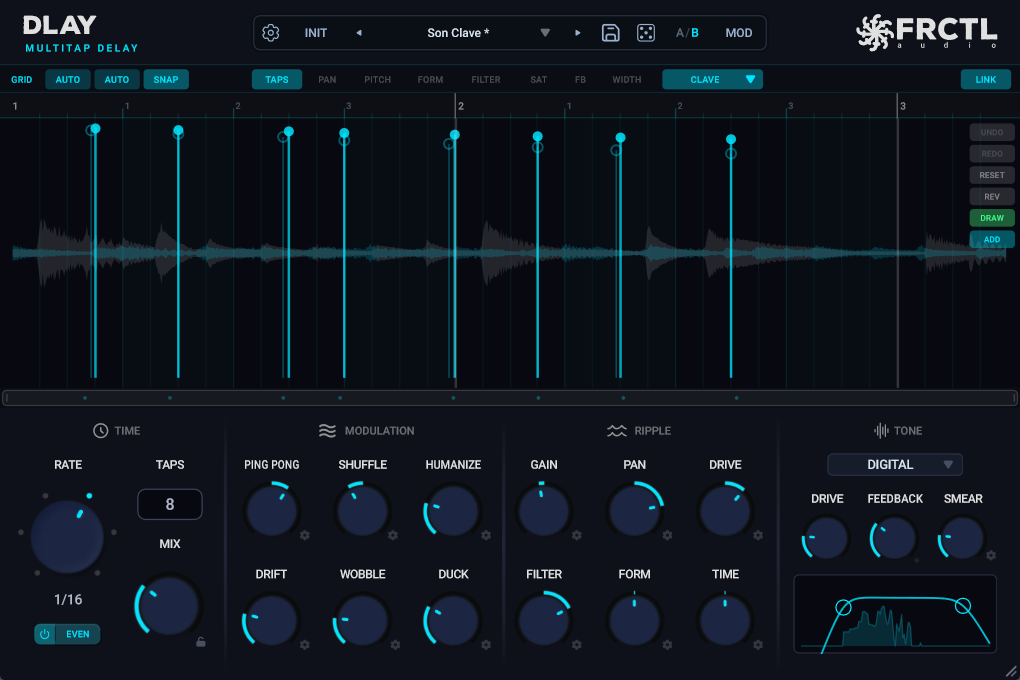
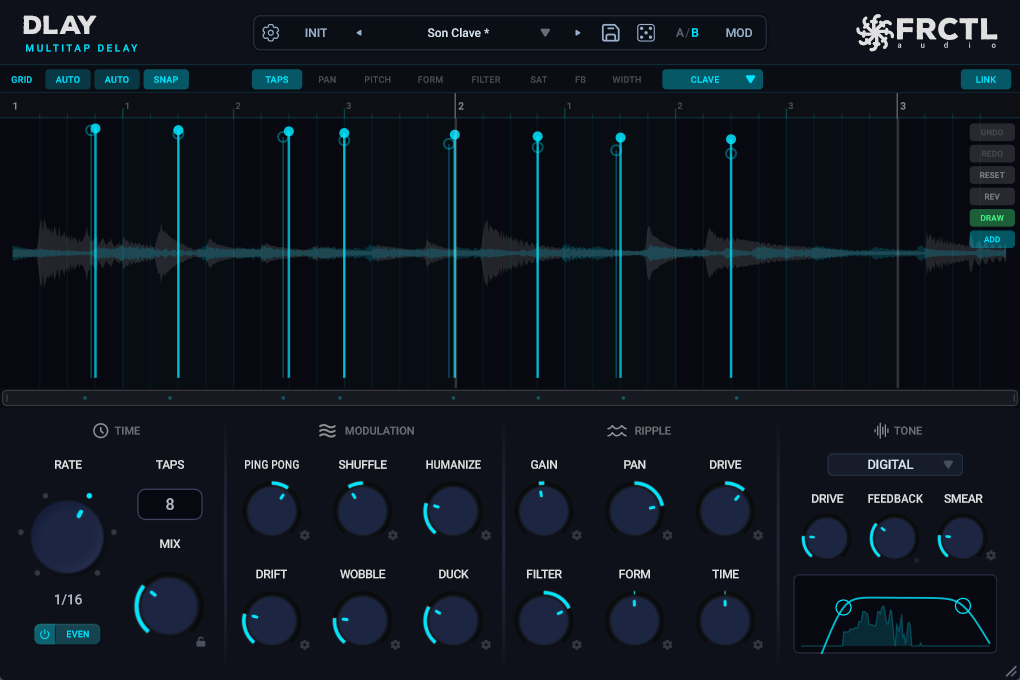
Every echo is a line you can drag.
- •Drag a line sideways and the echo moves in time. Drag its dot and it gets louder or quieter.
- •Box-select a few and move them together.
- •Switch the view and the same lines set each echo's pan, pitch, tone or drive. Up to sixty-four echoes.
Shape it
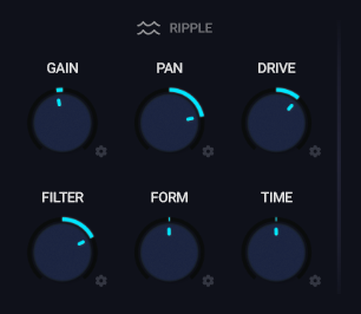
One knob shapes all the echoes at once.
- •GAIN fades them out along the chain.
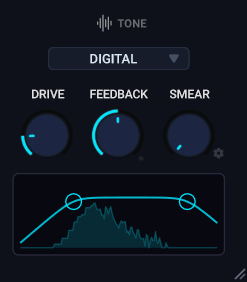
- •PAN spreads them left and right. FILTER darkens each repeat a little more than the last.
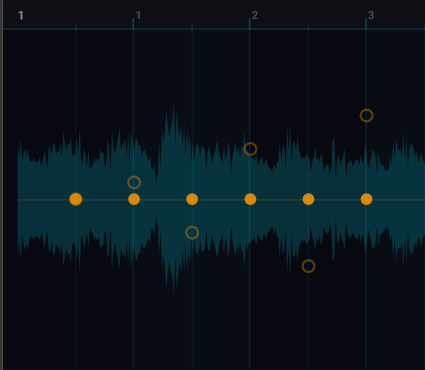
- MOTION makes the pattern roll through the echoes over time.
DLAY in Real Use
A full session with DLAY, by DATABROTH

4.8/5 from 5 reviews from verified purchases
“What a great delay. Powerful, intuitive interface, and easy to get great results!”
Verified Purchase · v1.1.0 · Jul 2026
“Calling it a DLAY is doing it a bit of an understatement. I guess Time Oriented Manipulation Environment was a bit too long ... Excellent piece of kit. I shall be playing with it for some Time to co...”
Verified Purchase · v1.0.2 · May 2026
“This is literally my dream delay. It let's you customize EVERYTHING in the delay signal. Intuitive and sounds fantastic. My new go to delay plugin.”
Verified Purchase · v1.0.2 · Jun 2026
“This is a very Dynamic and Creative Delay its uses are quiet endless .”
Verified Purchase · v1.0.2 · Jun 2026
Start creating.
Free vs Full
DLAY Lite
Free forever
- See your echoes as taps on a grid
- MIX + WASH controls
- 12 presets
- VST3, AU
- Windows, macOS, Linux
- Works in all major DAWs
DLAY
$34.99, one time
- Everything in Lite, plus:
- Up to 64 taps
- Per-tap pan, pitch, vowel, tone, saturation, reverse
Version History
The MOD Band
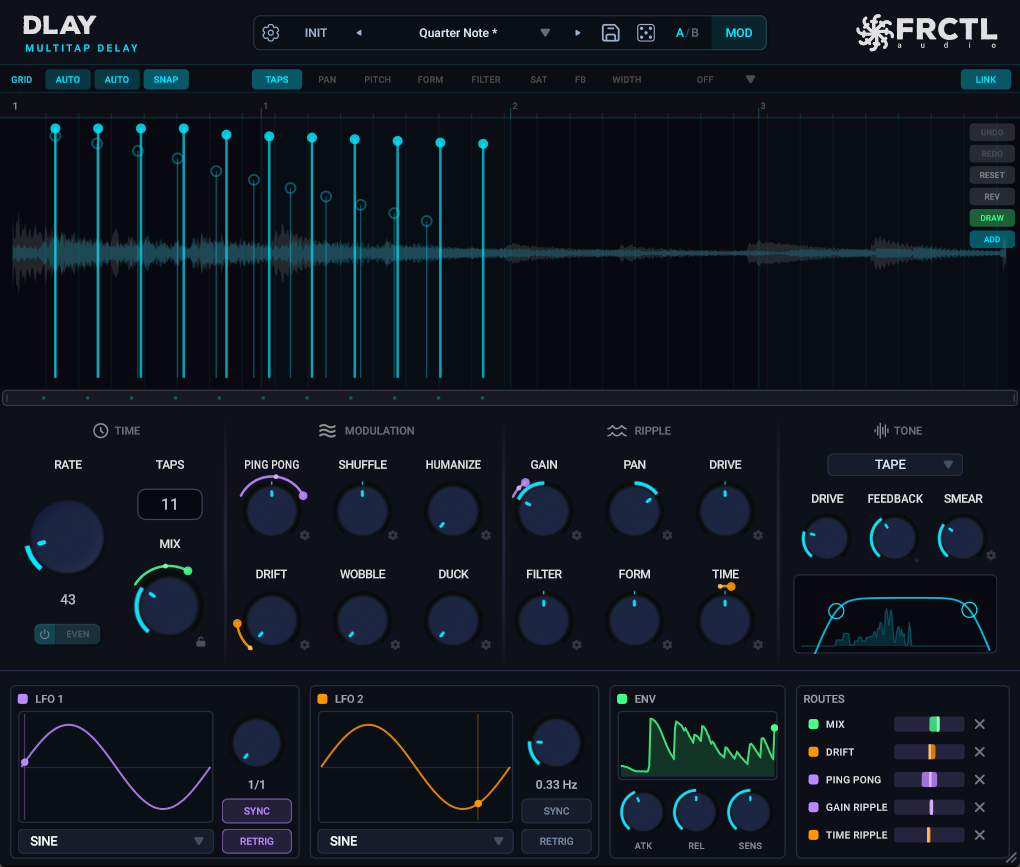
Press MOD and a band opens below the controls with two LFOs and an envelope follower. Drag a source's waveform onto a knob and an arc shows how far it will travel; drag the arc's handle to set the depth, past the knob to go the other way, right-click for a two-sided sweep. Twenty-two targets, from MIX and FEEDBACK to every RIPPLE depth, TAPS and RATE.
Two LFOs, One Envelope
Sine, triangle, square, saw up, saw down, sample-and-hold and random. Free in Hz or synced to note divisions, with RETRIG to the song position so every playthrough lands the same. ENV follows your input with attack, release and sensitivity: a drum hit opens the filter, a vocal phrase pushes the feedback.
Modulate the Rate and the Tap Count
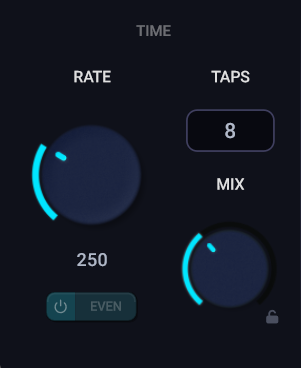
An LFO on RATE bends the whole pattern: clean steps through note divisions when synced, tape-style glides when free. A square wave on TAPS switches echoes on and off in rhythm with a short fade so nothing clicks. The tap display, grid and filter curve follow the modulation live.
Ripple Motion
Every RIPPLE gear panel gains a MOTION knob. Turn it up and the ripple pattern travels through the tap sequence over time: a gain ripple becomes a tremolo wave rolling through the echoes, a pan ripple an auto-pan sweep. At zero, nothing changes.
Clear the Delay on Double-Stop
With the transport already stopped, press STOP once more and DLAY empties its delay memory on the spot. Long tails, runaway feedback and self-oscillating loops go silent; your settings stay where they were. Second STOP click in Ableton Live and FL Studio, AU Reset in Logic.
Preset Bar
The preset controls now sit in one strip. A/B is a single button; right-click it to copy the current bank over the other or swap the two. Preset, licence and settings files now live in one standard folder per platform, and existing files are found automatically.
Included
- VST3, AU, CLAP
- Windows, macOS, Linux
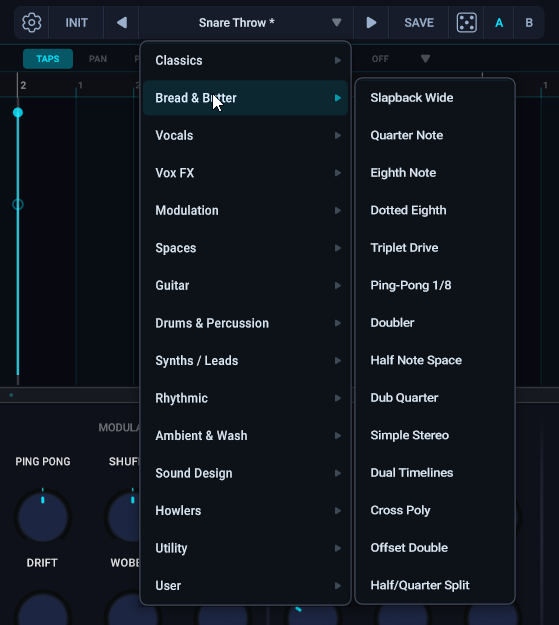
- 168 factory presets across 14 categories
- License key activation
- Lifetime free updates
- Direct developer support
System Requirements
Questions
How many taps can I run?
Up to 64 taps per channel. Stereo-linked: 64 taps mirrored across L+R. Unlinked: 64 left + 64 right, fully independent — 128 total.
Does it sync to my DAW tempo?
Yes. SYNC mode locks tap times to note divisions (1/2, 1/4, 1/8, 1/16, 1/32, 1/64) with EVEN, DOT, or TRIP modes. SYNC OFF gives you free milliseconds (10 ms – 5 sec).
What's the difference between this and a normal delay?
Even feature-rich multi-tap delays usually stop at level and pan per tap. DLAY gives you 64 taps on a single canvas with per-tap pitch, formant, filter, saturation, pan, and reverse — plus six ripple knobs that cascade values across every tap with one twist.
How do I install?
Download, drag to your plugins folder, enter your license key on first open. Done.
Is there a trial?
Yes — the complete DLAY, free for 14 days. Start it right from the plugin: no card, no account. When the trial ends, projects you made still open and play exactly the same; only editing locks until you buy. And there's still a 14-day money-back guarantee on top.
CPU heavy?
Active taps with pitch/formant use Signalsmith Stretch — that's the heaviest path. Clean taps are extremely light. Run as many as your project needs and bounce when it gets crowded.
Commercial use?
Yes. Use in any project. Keep 100% of your royalties.
“What a great delay. Powerful, intuitive interface, and easy to get great results!”
Ready when you are.
$34.99 — one time, yours forever.