DLAY Lite
A Free Delay, and a First Look at DLAY
A simple free delay. Pick a preset, set MIX and WASH, done.
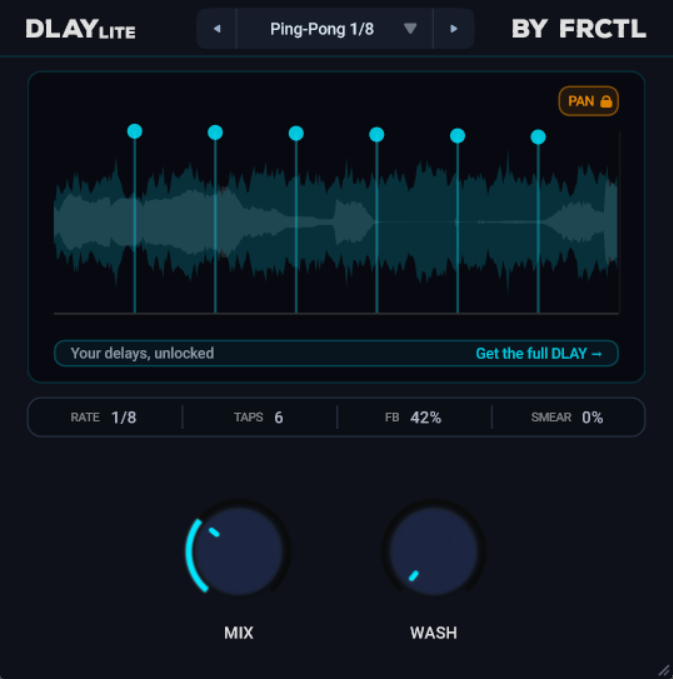
Two Knobs, Twelve Presets
Pick a preset, set two knobs, done
WASH
Grow the space
One knob that grows tight, clear echoes into a big, lush, diffuse tail. Turn it up and the echoes repeat longer and smear into a smooth cloud.
MIX
Dry/wet balance
How much delay you hear against the dry signal, from a subtle thickening all the way to fully wet.
PRESETS
12 ready-made delays
Twelve hand-picked presets, from quick slapbacks to long washes. Load one and you are ready to go.
Included
- VST3 and AU plugins
- Windows, macOS, Linux
- Commercial license
- Lifetime updates
System Requirements
Questions
How is DLAY Lite different from the full DLAY?
Lite lets you arrange echoes: their timing, their level, and the size of the space. The full DLAY lets you design each echo on its own (pan, pitch, vowel, tone, saturation, reverse), plus seven character flavours, rhythm patterns, up to 64 echoes, 168 presets, and full DAW automation.
What does the WASH knob do?
WASH grows the delay from tight, clear echoes into a big, lush tail. As you turn it up the echoes repeat longer and smear into a smooth, reverb-like cloud, great for pads, intros, and ambient moments.
How many echoes can I have?
You can arrange up to 12 echoes (taps) in Lite. The full DLAY goes up to 64.
Can I use it commercially?
Yes. Use it in any project, commercial or personal. No attribution required.
Do I need to sign up?
No. Download directly, no account or email required.
Which DAWs are supported?
All major DAWs via VST3 or AU (Mac): Ableton, FL Studio, Logic, Reaper, Cubase, Studio One, Bitwig.